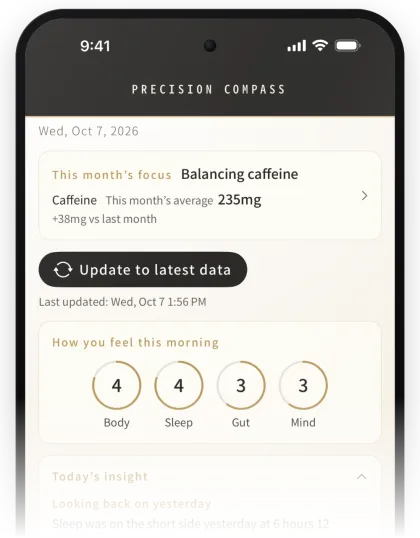
How you feel comes first.
The best guide is how you feel, even more than the numbers.
Precision Compass is a wellness app. Compare how you feel this morning with your sleep and heart rate records and your blood test results, and get Today’s insight. The only person you’re compared with is your past self.
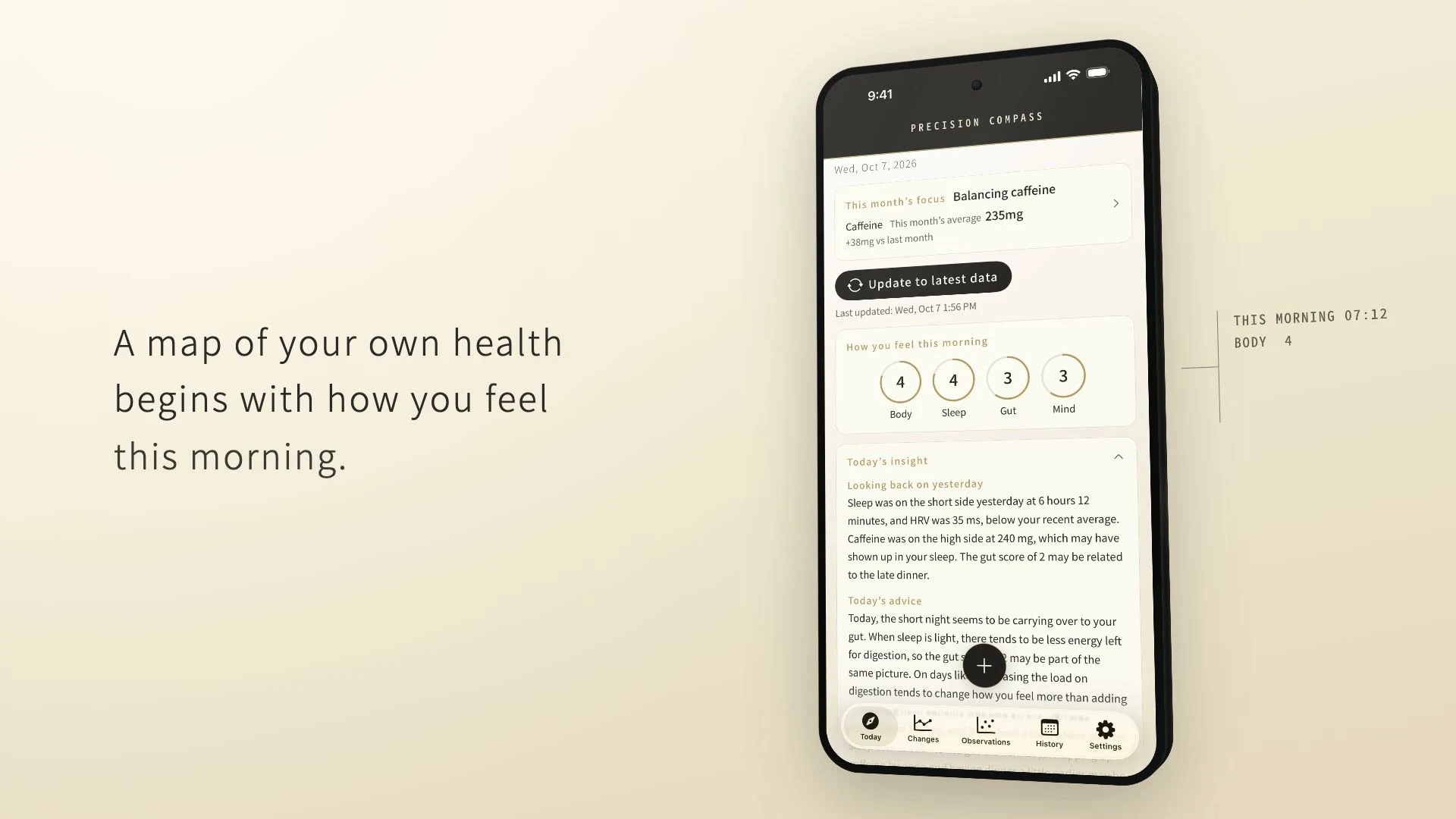
Not a medical device.
Some features are available with a paid plan.
Screens show sample data.
Available on the App Store worldwide, except mainland China.

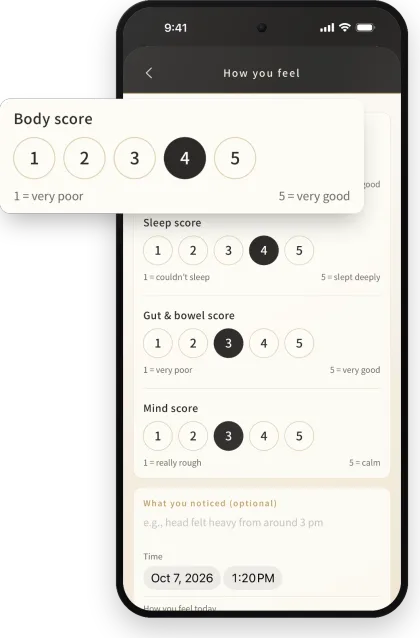
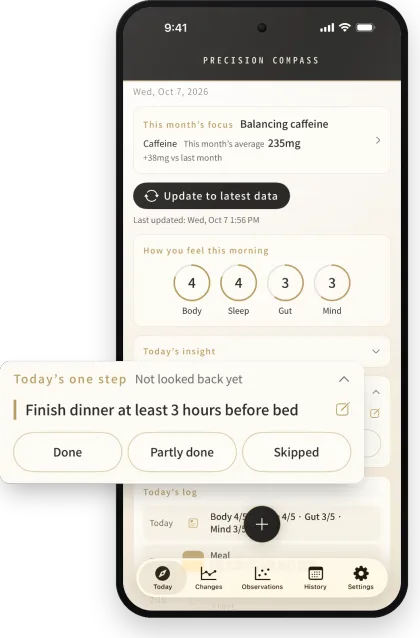
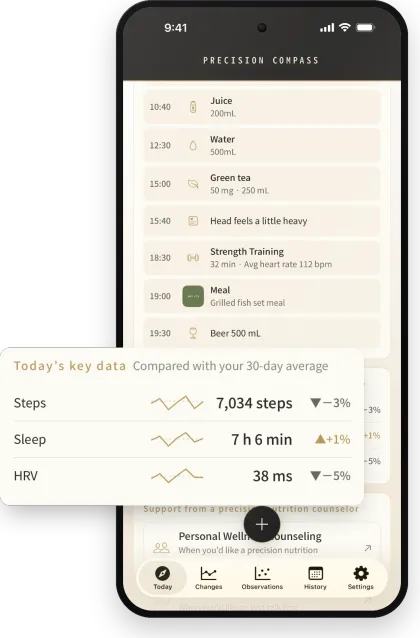
Rate how your body, sleep, gut, and mind feel, each on a scale of 1 to 5. Data such as sleep and heart rate comes in from Apple Health. You can also log how you feel, water, and more from Apple Watch.
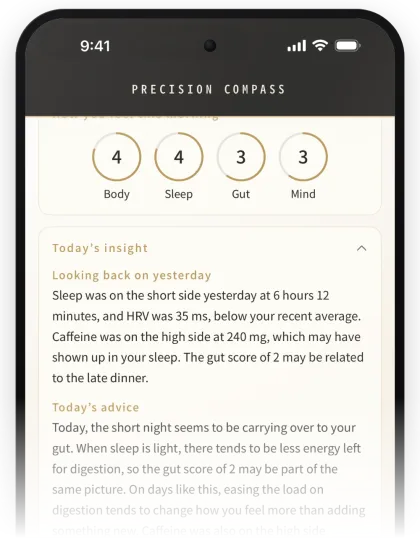
The insight draws on yesterday’s log and your Apple Health data. Pick one item from “For today” or write one in your own words. That’s Today’s one step.
Today’s insight is free up to three times in total. With a paid plan, you can get one every day.
In the evening or the next morning, look back on Today’s one step with “Done,” “Partly done,” or “Skipped.” On days without an insight, you’ll still see “Yesterday’s summary” in the morning.
No login needed. As a rule, your records are stored on your phone. Features that use AI, and sharing with your counselor, work only when you’ve checked what will be sent and agreed to it.
Today’s insight is shaped by five principles that precision nutrition counselor Shuichiro Nakahara has shared through his counseling and podcast, and put together by AI. It’s simply one point of reference. The choice is yours.
The best guide is how you feel, even more than the numbers.
Look at food, sleep, exercise, and your mind as connected to one another.
Before adding something new, look for what you can let go of.
The stomach, liver, and gut form the body’s foundation, so that’s where to start.
No need to be perfect. Look at the trend over time, not one day’s result.
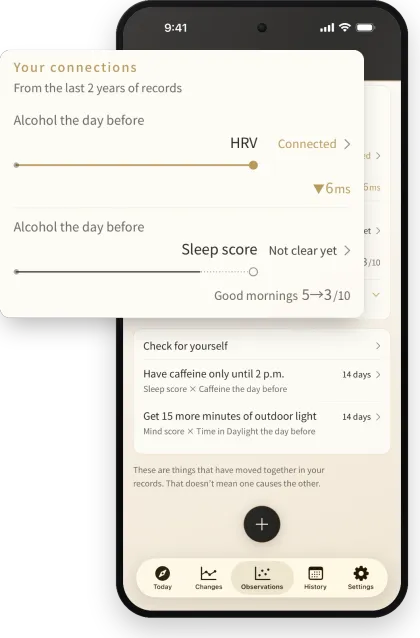
Your own records take center stage. Things that have moved together in them are shown as a single line.
The more you log, the longer the lines grow, and once a connection is clear, it’s marked “Connected.” If Apple Health already holds your past records, some connections may show up soon after you start.
For a connection you’re curious about, you can “Check for yourself” over 14 days. A calendar shows your try days and usual days.
Moving together doesn’t mean one causes the other. Without a paid plan, you can still see the names of the connections found. The lines and “Check for yourself” are available with a paid plan.
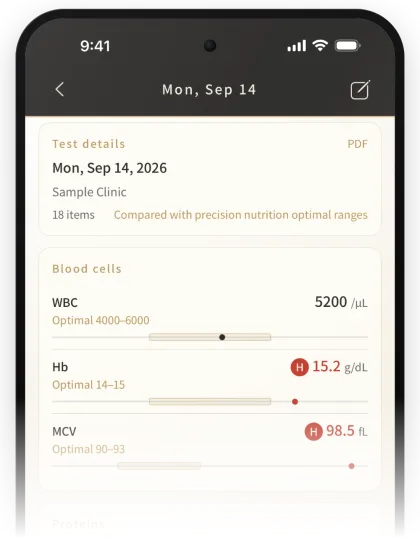
The app goes as far as comparing. Reading the numbers together to understand what may lie behind feeling off, and what to prioritize, is what Blood Nutrition Analysis is for.
Together, the three help you find your balance over time. This app’s role is the day-to-day log.
Whichever you start with — the app, Personal Wellness Counseling, or Blood Nutrition Analysis — you can combine them later. Changes tend to be easier to see the more you combine them. Of course, you’re welcome to use just the app. Sessions in English are coming soon.
For now, it’s iPhone only. Once an Android version is ready, I’ll announce it in my newsletter (in Japanese).
No. Precision Compass is not a medical device and is not intended to diagnose, treat, or prevent any disease. If you’re worried about your health, please see a doctor.
You can cancel it from “Cancel or change plan” in the app. This is separate from canceling a counseling plan.
The app goes as far as comparing your day-to-day log. In Personal Wellness Counseling, you look back on each month with your counselor. In Blood Nutrition Analysis, your blood helps you see where you are now, every few months. Sessions in English are coming soon.
Free to download.
There’s also a paid plan, monthly or yearly. Prices are shown in your local currency on the App Store.
Available on the App Store worldwide, except mainland China.